Personnel
Goal: you get an overview of all personnel resources in the client’s resource pool, filter and sort the list, and, if needed, convert a personnel resource into a user.
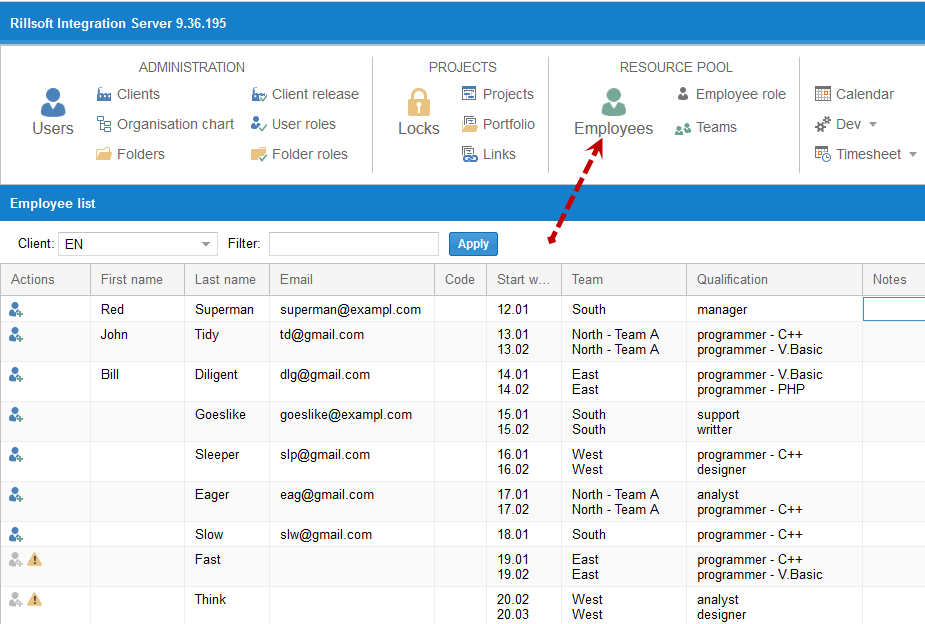
Here you get an overview of all personnel resources in the client’s resource pool.
Enter a search term in the Filter field to narrow down the selection.
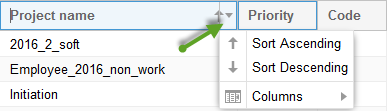
Sort the list by any column by clicking the arrow in the column’s title area.
Convert a personnel resource into a user
Click the button  in the row of the desired personnel resource
— a new user is created from it.
in the row of the desired personnel resource
— a new user is created from it.
View user data
If a user already exists in Rillsoft Integration Server for a personnel
resource, you can see their information via the button  in
their row.
in
their row.
