Data Management System (DMS)
Goal: you manage project documents in an audit-proof way, in a freely definable folder structure.
The Data Management System (DMS) module lets you manage project documents.
Functions
Documents can be stored together with a project, subproject, or task in a predefined folder structure.
All documents are stored in an audit-proof way.
All document revisions can be retrieved and restored.
Access rights
Minimum access rights to read project documents:
User roles: Read documents, Read resource pool
Folder role: Read project
Depending on your needs, the following user roles can additionally be assigned: Create documents, Change documents, Delete documents, Restore documents, Manage folder structure.
View and manage documents
Step by step
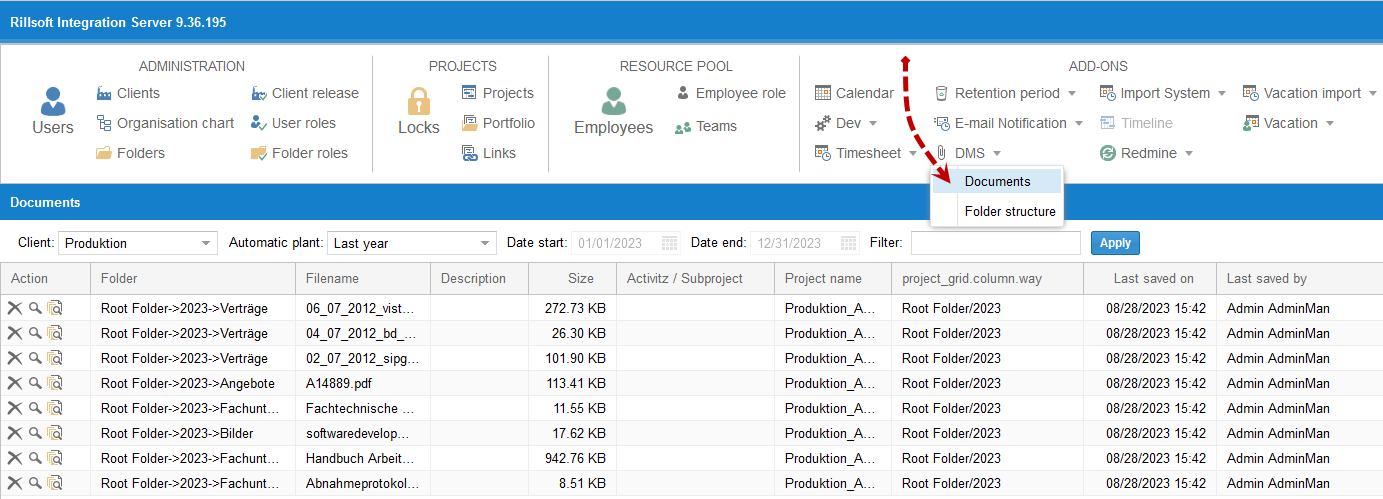
Select Add ons > DMS > Documents.
Check the result
You see all documents assigned to the projects or their activities. In the Actions column, you can delete documents, display them, track their versioning, or restore deleted documents.
Note
When a project is deleted, its associated documents are also deleted; when the project is restored, its documents are restored as well.
Deleted documents are permanently deleted from the database once the retention period has expired.
Limit document size
Step by step
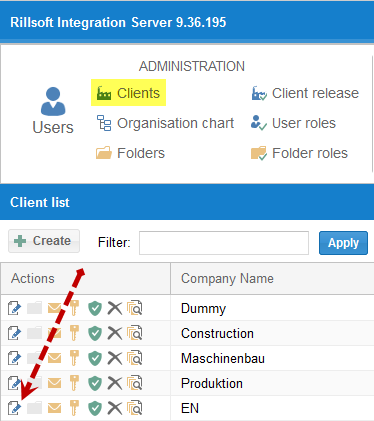
Click Administration > Clients > Edit.
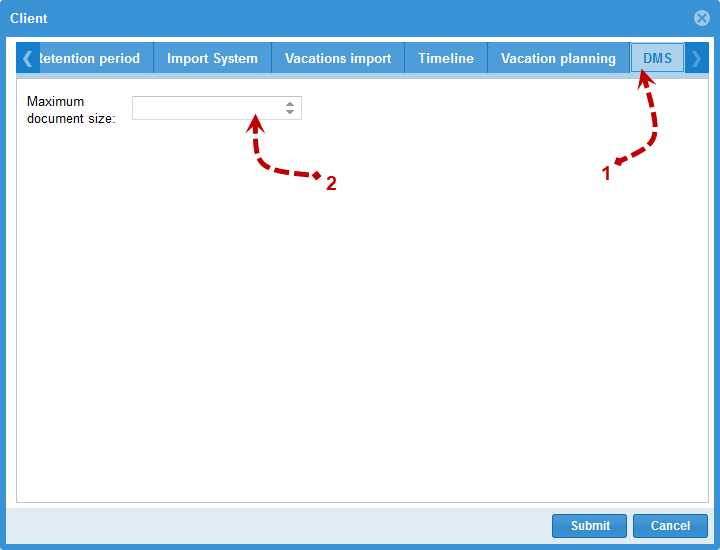
Enter the maximum size.
Folder structure
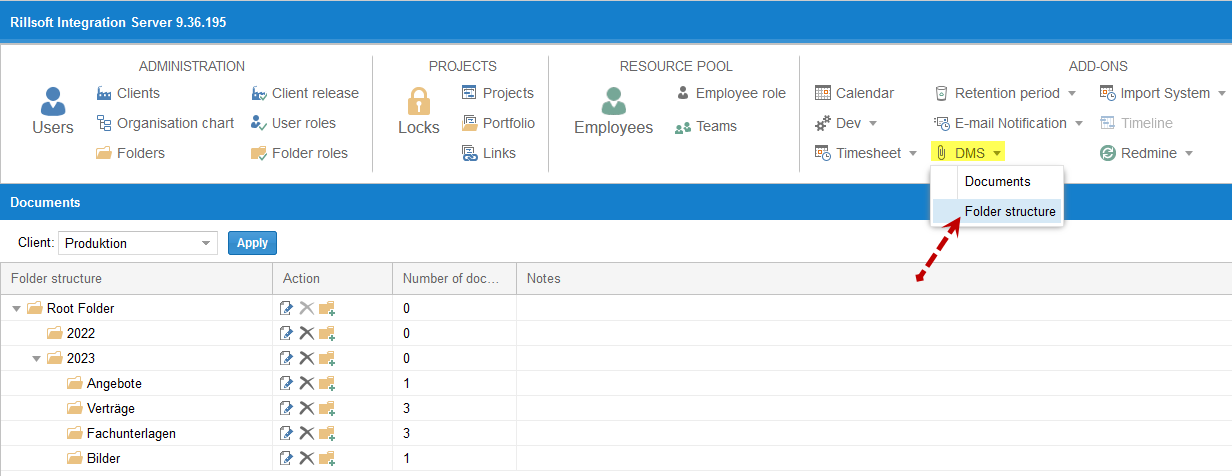
You can freely define the folder structure.
Note
The document folder structure is managed in Rillsoft Integration Server for the entire client and applies to all of the client’s projects.
When a DMS folder is deleted, its documents are moved to the main folder.
Related topics
DMS integration in depth — access rights model and relationship to the retention period