Set up RIS: server or cloud
Goal: You know the two operating models of Rillsoft Integration Server and log in for the first time.
Duration: approx. 5 minutes
Prerequisite: Login credentials for your RIS instance (cloud or on-premises server) from your IT administration.
Rillsoft Integration Server is available in two operating models:
Cloud — hosted by Rillsoft, no own server required.
On-premises server — operated on your own network.
Note
Not every feature is available equally in both modes: LDAP integration (importing users from Active Directory) is available exclusively on the on-premises server, see Expert Knowledge.
Step by step
Open the login page of your RIS instance in a browser.
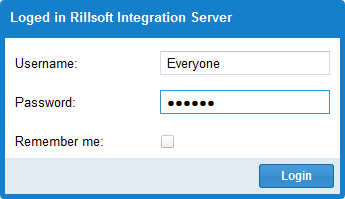
Log in with the credentials provided by your IT administration.
Check the result
After logging in, you see the main menu of Rillsoft Integration Server. Next, you typically create the first client, see Create your first client.
choose operating model, set up cloud, set up on-premises, ris, integration server, cloud, on-premises, on-premises server, operating model, multi-user, it-administration