Why doesn’t a user see a project or portfolio?
Most often the user is missing client sharing for the affected client. If only a single project is missing, it is usually due to a missing folder role with read access for the folder the project is stored in. If a portfolio is missing, it is usually due to a missing user role with the Read portfolio right.
Symptom
A user does not see a particular project or portfolio in Rillsoft Project or Rillsoft Integration Server, even though it exists.
Possible causes
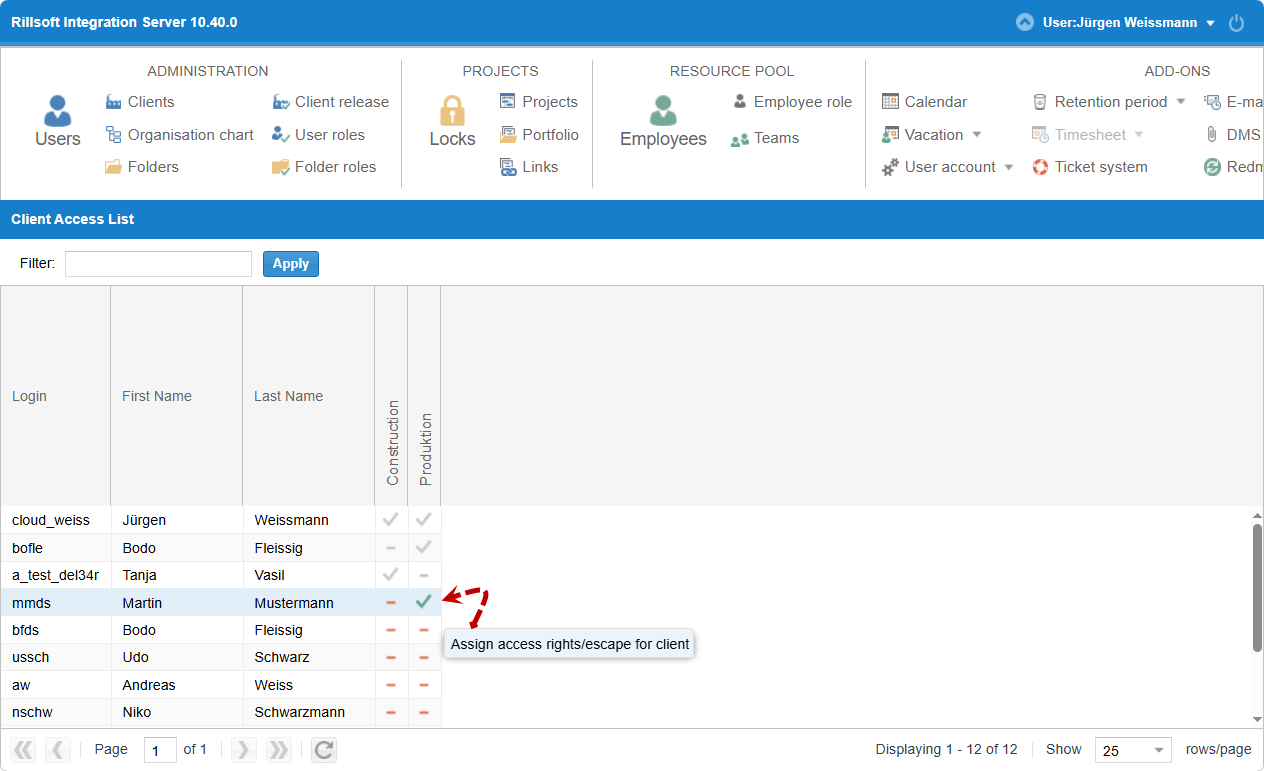
The user is missing client sharing for the client the project/portfolio belongs to — in that case, they see no information about that client at all.
Only one project is missing: the user is missing a folder role with the Read project right for the folder the project is stored in.
A portfolio is missing: the user is missing a user role with the Read portfolio right.
Check steps
Go to Administration > Users and check the user’s client sharing, see Define a user’s client access.
If a project is missing: go to Administration > Folder roles and check whether the folder role assigned to the user includes the Read project right for the affected folder, see Folder roles.
If a portfolio is missing: go to Administration > User roles and check whether the assigned user role includes the Read portfolio right, see User roles.
Action
Missing client sharing: Grant the user client sharing, see Define a user’s client access.
Missing read access to the folder: Assign the user a folder role with the Read project right for the affected folder, see Folder roles.
Missing portfolio read access: Assign the user a user role with the Read portfolio right, see Manage users and permissions.
Related topics
project not visible, portfolio not visible, missing access rights, access rights, permissions, user roles, folder roles, manage permissions, it-administration, resource-manager